Adobe Premiere on Android: what the free app really gives you
Adobe put Premiere on Android in September 2026 — free, no advertising, no watermark on what you export. The three things worth knowing before you install it are not on the pages that rank for it.
There is no APK, and that matters
Adobe publishes this app through the Google Play Store and nowhere else. There is no file on adobe.com, no installer, nothing to download and keep. The package is com.adobe.premiere, and that is the whole of the distribution.
So every site offering you an “Adobe Premiere APK” is not Adobe. Some of those files are the real app repackaged, some are not, and you have no way to tell: Adobe publishes no checksum for an Android build because Adobe publishes no Android build outside the store. On this site we print a file’s size and its published checksum before you press anything — for this app there is nothing to print, and saying so is the honest answer.
Your phone may not be able to run it
Adobe’s requirement is Android 13 or later and at least 5 GB of RAM. That is a high bar: a phone sold in 2021 with 4 GB will not run it, and plenty of pages describing this app repeat a much lower number.
There is nothing to configure around it. If the phone is below the line, the Play listing will not offer the install at all, which is better than installing and finding out.
What you get without paying
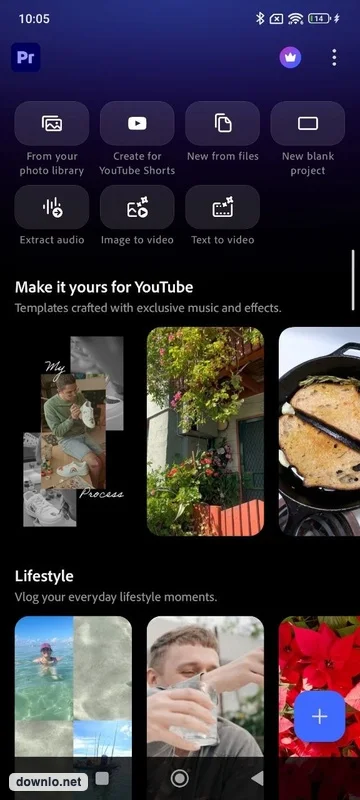
The editing is the editing: a multi-track timeline, splitting and trimming, transitions, filters and effects, audio extracted from a clip, and templates sorted by the kind of video you are making.
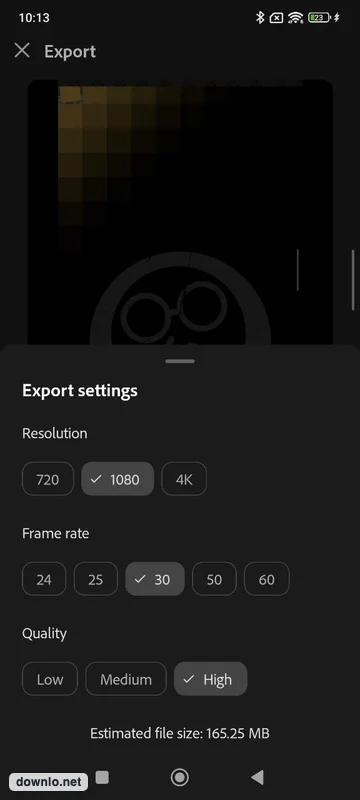
Export is the part people expect to be restricted, and it is not. You choose 720p, 1080p or 4K, a frame rate from 24 to 60, and a quality step — and the app tells you what the file will weigh before it starts. Nothing is stamped on the picture and nothing is cropped.
Where the free tier stops: generative AI
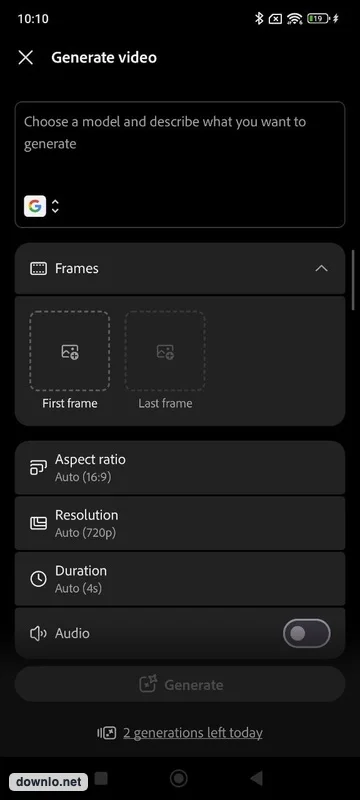
The limit is not on editing, it is on generation. Asking the app to make video from a prompt spends credits, and the free allowance is counted per day — the panel says plainly how many you have left today, which is the clearest version of that rule any app gives you.
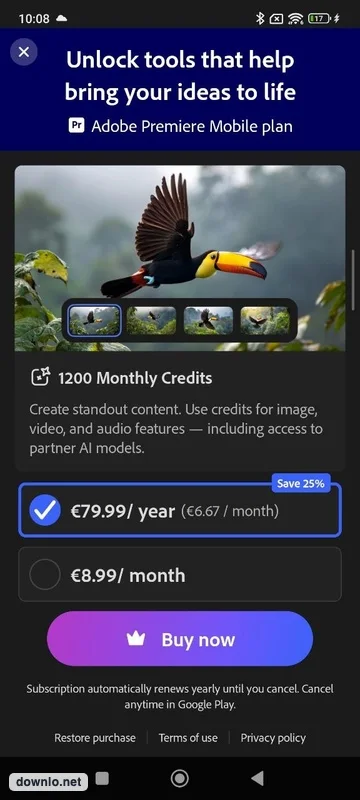
The paid plan is bought inside the app and is priced per country: on a European phone it offers roughly nine euros a month, or eighty a year for the same thing, and quotes an allowance of 1,200 credits a month. Whatever the number is where you are, read it on the plan screen rather than from a page like this one.
The models it can call
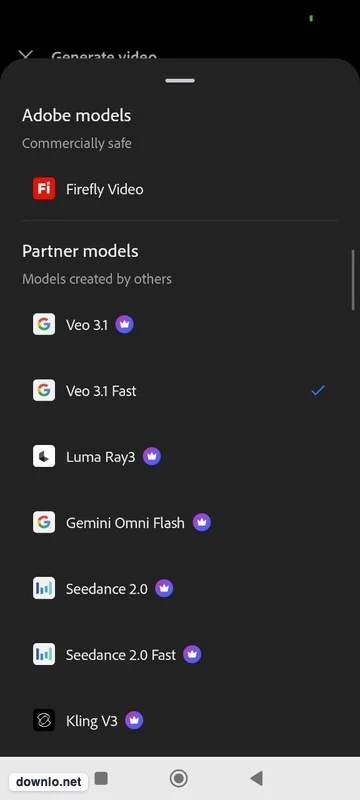
The generation panel is not one model, it is a list. Adobe’s own Firefly Video sits at the top, marked as the commercially safe one, and under it are models built by other companies — Veo 3.1 and Veo 3.1 Fast, Luma Ray3, Gemini Omni Flash, Seedance 2.0 and 2.0 Fast, Kling V3 among them. Most carry the premium mark.
That is worth knowing before you plan around it: which models are offered, and what they cost in credits, is Adobe’s to change and not a property of the app you installed.
If your Adobe account was made with Google or Facebook
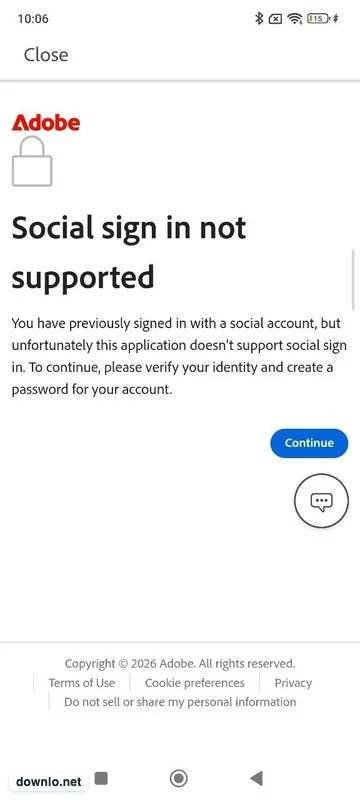
This one costs people an evening. If you created your Adobe account by signing in with Google or Facebook, the Android app will not let you in: it answers that social sign-in is not supported and asks you to verify your identity and set a password on the account.
The fix is to set a password on your Adobe account first, in a browser, and then sign in with the email address and that password. Nothing is wrong with the install.
Premiere Rush is gone
Rush was Adobe’s earlier mobile editor. Its Android listing no longer exists — the store answers with a not-found page — and this app is what replaced it. If you are looking for Rush because a tutorial named it, the tutorial is older than the app on your phone.
Where this fits with downloading a video
An editor needs something to edit. If the clip you want is on a page rather than on your phone, the tools here fetch it without an app, and the file lands where the editor can open it.
Two practical notes from this site’s own pages: take the resolution you will actually export at rather than the largest on offer, since re-encoding a 4K source down to 1080p costs time and battery on a phone; and if you only want the sound, an audio file is a fraction of the size.