Why video quality changes after downloading
Usually nothing was lost in the download. The picture you are comparing it to was never as good as it looked.
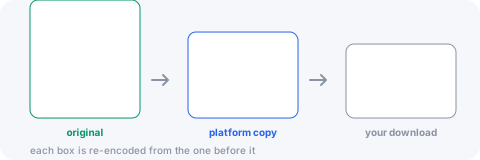
The platform compressed it before you ever saw it
A creator uploads a large, clean file. The platform re-encodes it immediately into its own ladder of qualities, and what you watched was already a copy — usually a heavily compressed one, because serving the original to millions of people would be ruinous.
So the best possible download is a faithful copy of a copy. No tool can return the original, and any promising to "restore HD" is handing you the same file under a louder name.
The resolution label is not the quality
1080p says how many pixels there are, not how much data describes them. The same 1080p frame can be given 8 Mbps or 1.5 Mbps, and the difference is obvious in anything that moves — fast camera work, grass, confetti, smoke.
Platforms cut the bitrate far more aggressively than they cut the resolution, because the label is what people look at. This is why 1080p from one site looks clearly better than 1080p from another.
A re-encode costs a little, once
When a source arrives in a codec that older devices cannot play — AV1 from Facebook and Instagram, HEVC from some TikTok and Twitch streams — the file has to be converted to H.264 or it will not open for most people.
A conversion is generational: the second encoder works from the first encoder’s output, not from the original, and loses a little more. At sensible settings it is hard to see, and it is deliberately traded for a file that plays. A source already in H.264 is passed through with no re-encode at all, and loses nothing.
You are watching it differently now
In the page the video sat in a small frame on a bright screen, next to text. On your phone it fills the display at full brightness with nothing to distract you, and every flaw is proportionally larger.
If a 720p file is stretched to a 1440p display, the player is inventing more than half the pixels on screen. That softness is the display scaling, not the file.
What you can actually control
Pick the top row rather than the convenient one — the formats offered are the renditions the platform holds, so the first is the best that exists. Prefer video over an audio-only copy if you will want the picture later. And remember that a short vertical clip at "1080p" means 1080 on its narrow side — the same pixel count as 1080p landscape, in a different shape.
What you cannot control is anything decided before the file reached you, which is most of it.