
A media player that also serves: it plays very nearly any file, and can send one across a network.
-
Windows
-
64-bit The ordinary one. Installs, puts VLC in the menu, done. vlc-3.0.24-win64.exe44.1 MB
- MSI60.5 MB For installing across several machines at once, not for one PC.
- 7Z37.6 MB No installation: unpack it and run it, from a USB stick if you like.
-
on ARM vlc-3.0.24-winarm64.exe38.8 MB
-
32-bit vlc-3.0.24-win32.exe43.1 MB
SHA-256
-
vlc-3.0.24-win64.exe
d711e1e1fe52052748c39080c7dce63f6b7e4c315efedf1774a3f1957b782ff3 -
vlc-3.0.24-win64.msi
22172095ce4c2d5f5b600bb4c142d78105db29a77fa59a931941876f3b20f6d0 -
vlc-3.0.24-win64.7z
1ed59c09152e78aff84663fa76efab26057716576db74332858810e5ef54ae1f -
vlc-3.0.24-winarm64.exe
1377f8a7aa8094cf73bc5a36428a652f3da41017fe16a522e0f7941723000bfb -
vlc-3.0.24-winarm64.msi
a9f5268006d51cf593a8d20edac3cc70aa65fd87ac37fa0a62c7509531996aee -
vlc-3.0.24-winarm64.7z
4c448ca4995bafc4954a4c929bc7dad756eb0a234afc9d58946ad05b8fe51389 -
vlc-3.0.24-win32.exe
39928615829553bf71810119ea6ecd20cd2fa568e7ec5dfe2e48fd30819cf77a -
vlc-3.0.24-win32.msi
6a55111e19cfd4b25390fed2744eedd6f6c32d3d5bce68ec4b3c2f0f47951eb0 -
vlc-3.0.24-win32.7z
80b61c03a5c7c4d4b44a79a2db34eda244ad6b09f1e0f44fcf6183f4c10e9966
-
-
macOS
-
macOS, any Mac The macOS disk image — open it and drag VLC across. vlc-3.0.24-universal.dmg94.7 MB
-
Mac with Apple silicon vlc-3.0.24-arm64.dmg54.3 MB
-
Mac with an Intel processor vlc-3.0.24-intel64.dmg60.5 MB
SHA-256
-
vlc-3.0.24-universal.dmg
2c8e89f7f42e53c2fb0e87b6dfa39b49f1364b25080aaa2e476ac74c0d7beb3c -
vlc-3.0.24-arm64.dmg
64a89d93cdd30b0e97131743e246373db82d6826ea882d265d46d74b136da2b7 -
vlc-3.0.24-intel64.dmg
1ef6c903e2dc026d4e58ddf7b2a9ed0eb6f8caf80a9a9f46f96490340b962707
-
-
Android
3.7.1-
64-bit The phone build, straight from VideoLAN rather than a store. VLC-Android-3.7.1-arm64-v8a.apk45.8 MB
-
older phones VLC-Android-3.7.1-armeabi-v7a.apk44.9 MB
SHA-256
-
VLC-Android-3.7.1-arm64-v8a.apk
bea9ea0cdecfd8f461ef305d2afe5d1ac1459cfb9156acce2f615788a486de74 -
VLC-Android-3.7.1-armeabi-v7a.apk
a6a7f940e4bd190c9a70f3f0dc97c1c402c10200af20edac7a1d452b24abd8a0
-
Which one you want
- On a normal Windows PC bought in the last ten years, the 64-bit installer is the answer.
- A Snapdragon or Surface laptop takes the ARM build. The 64-bit one will run, slowly, through emulation.
- 32-bit is for a machine old enough that the 64-bit installer refuses to start.
- The portable build installs nothing and needs no administrator, which is what you want on a computer that is not yours.
At a glance
- Published by
- VideoLAN
- Category
- Media players
- Latest version
- 3.0.24
- Published on
- 2026-09-21
- Runs on
- Windows, 64-bit · Windows on ARM · Windows, 32-bit · macOS, any Mac · Mac with Apple silicon · Mac with an Intel processor · Android, 64-bit · Android, older phones
Price and licence
- Price
- Free, and free to redistribute
- Licence
- GPL-2.0
- Source code
- Published, and anyone may read it
- Copyright
- © VideoLAN
The download itself
- Permissions it asks for
- None
- File types
- EXE · MSI · 7Z · DMG · APK
- Download size
- 33.9 MB – 94.7 MB
- SHA-256
- Checksum published
What it opens
- Video
- MP4, MKV, AVI, MOV, WMV, FLV, WebM, MPEG-TS, OGV, 3GP
- Audio
- MP3, FLAC, AAC, M4A, OGG, WAV, WMA, Opus, AIFF
- Discs and streams
- DVD, VCD, Audio CD, HTTP, HLS, RTSP, UDP multicast
- Subtitles
- SRT, ASS/SSA, VTT, SUB, embedded tracks
Nothing has to be installed alongside it for these: the decoders ship inside the program, which is why "install a codec pack" stopped being advice.
Three things people install other programs for
The View menu has an item called Advanced Controls, and switching it on adds a second row of buttons under the usual ones.
- A record button, which writes whatever is playing into a file — a stream included.
- A frame-step button, which advances one frame at a time. Finding the exact moment something happened is the job this is for.
- An A→B loop, which repeats one marked stretch until you stop it.
Two more that are not in that row: it will play a file that has not finished downloading, as far as the part that has arrived; and it remembers where you stopped, so opening the same file again offers to carry on from that point. Video → Take Snapshot saves the frame on screen as an image, which is the honest way to keep a still rather than photographing a player window with its controls across it.
Installer, MSI, or portable
The Windows files are one program packaged three ways.
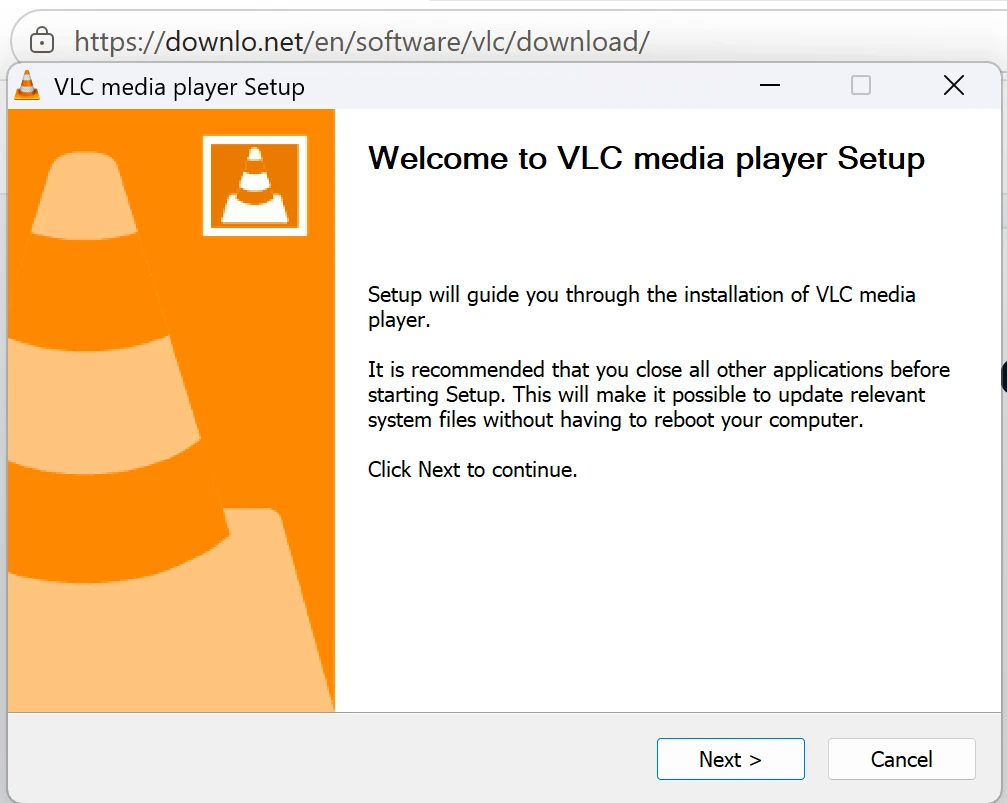
- The installer is the ordinary choice. It writes the program into the usual place, puts it in the Start menu, and asks during setup which file types should open with it — untick that part if you would rather keep what you have.
- The MSI is the same build in the format management tools install from, for somebody putting it on a room full of machines without sitting at any of them. On one computer it does nothing the installer does not.
- The portable build is an archive: unpack it and run the program out of the folder. Nothing is installed, nothing appears in the Start menu, no file associations change, and it needs no administrator. Recent Windows opens a .7z on its own; older Windows needs an unpacking program first.
"Portable" means not installed. It does not mean invisible — a program run this way can still keep its settings in your user profile, like any other. What it avoids is the installer, the administrator prompt, and the leftovers.
It plays, but there is no sound
Nearly always the track rather than the file. A film in an MKV usually carries several audio tracks, and the one picked first can be a second language or a commentary that happens to be silent at that moment.
- Open the Audio menu and look at Audio Track. If it reads Disable, that is the whole answer. If several are listed, try the next one.
- Audio Device, in the same menu, is where the sound is being sent. On a machine that has had headphones or a television plugged into it at some point, this is often still aimed at something that is no longer connected.
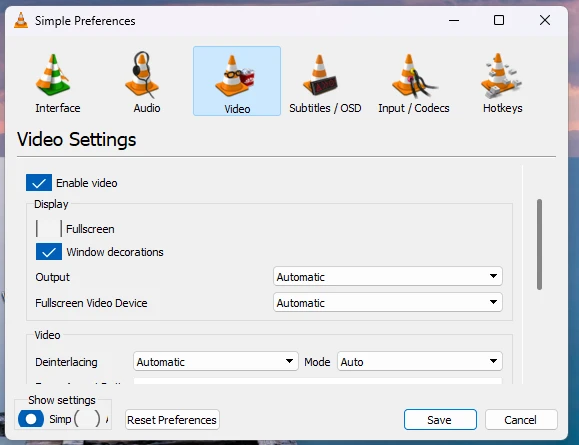
- If every track is silent while other programs have sound, change the output: Tools → Preferences → Audio, and set Output module to one of the named options instead of Automatic. One of them works where the automatic choice did not.
- If the sound goes out over HDMI or S/PDIF to a receiver, turn off "Use S/PDIF when available" on that same page. With it on, the compressed track is handed straight to the device, and a device that cannot decode that particular track gives you silence.
The picture stutters
Stutter is either a decoding problem or a reading problem, and the sound tells you which. If the sound runs on while the picture falls behind, the machine cannot decode fast enough. If both stall together, the file is not being read fast enough.
- Tools → Preferences → Input / Codecs holds Hardware-accelerated decoding, and it is the first thing to change — in either direction. Turning it off cures the stutter a bad graphics driver causes; turning it on cures the stutter an overmatched processor causes.
- High-resolution video in a recent codec on an old machine is simply more work than its processor can do in real time. The same page has a setting that skips part of H.264 decoding, the deblocking filter: it buys a useful amount of speed for a slight softening of the picture.
- If sound and picture stall together, the file is on a network share, a slow USB drive or a disk that is failing. Copy it to the internal drive and try that copy.
- Video recorded on a phone can have a frame rate that moves around, which shows as a small jolt every few seconds. There is nothing in the player to fix.
Subtitles are out of time
Two different faults look identical for the first minute, and it is worth deciding which you have before changing anything. If the subtitles are wrong by the same amount from beginning to end, it is an offset. If they start right and drift further out as the film goes on, it is a speed problem.
- An offset is one number. While the film plays, G nudges the subtitles earlier and H nudges them later, a step per press — hold the right one until a line lands on the words being spoken. Tools → Track Synchronization is the same adjustment typed in as a figure, which is what you want if you need the number again later.
- Drift means the subtitle file was timed against a different version of the film — a different frame rate, or a cut with a scene the file does not know about. No amount of delay repairs that; find the subtitle file made for the release you have.
- J and K do for the audio what G and H do for the subtitles, for when it is the sound that is out rather than the text.
It will not open a disc
Discs are where the reputation for opening everything stops being true, and the useful thing is to know which half of the problem is yours.
- A DVD, a Video CD or an audio CD is opened from Media → Open Disc, not by dragging a file in. If the drive is not listed in that dialogue, the computer has not mounted the disc and the player is not the thing to fix.
- A data disc with a VIDEO_TS folder on it is just files. Open the folder and play them directly.
- Blu-ray generally will not play, and no setting changes that. The discs VideoLAN lists are DVD, Video CD and audio CD.
- An external drive powered from its own cable can spin down halfway through a film, and it looks exactly like the player crashing. Give it a power supply before suspecting the software.
The phone version is a different program
Same name, same project, not the same build. Somebody who learned this program on a desktop will look for menus that are not there.
- On Android, iPhone and iPad it opens on a library of what is already on the device rather than an empty window waiting for a file, and scanning is how things get into that library.
- There is no Preferences tree. Subtitle delay, audio delay, speed and track selection live in a panel you pull up while something is playing.
- On iPhone and iPad you do not browse the device. Files arrive through the Files app, shared across from another app, or over VLC’s own Wi-Fi upload, which you open from a browser on the same network.
- The Android build has its own version number and its own release schedule, which is why the phone files in the table above do not match the desktop one. An APK taken from here also updates by hand — nothing prompts you.
Earlier releases
From the publisher’s own archive. An older build is sometimes the answer — a machine that runs it better, or a plugin that the newest one broke — and these are the real dates and sizes, not a remembered list.
The same program, other systems
Frequently asked questions
Is it really free?
Yes, and there is no paid version to upgrade to. VideoLAN is a non-profit and VLC is published under the GPL.
Do I need a codec pack as well?
No, and not needing one is most of the reason to use it. The decoders are inside the program. A separate codec pack is something other players used to need, and something to be careful about now.
Which file do I need?
The 64-bit installer, unless your laptop is an ARM one or old enough to be 32-bit. The portable build is the one that installs nothing.
Is the portable build the same program?
The same build of the same release — the difference is packaging, not features. Because it is not installed, it needs no administrator and changes no file associations.
Do I have to remove the old version first?
No. The installer upgrades what is already there and keeps your settings.
Will it take over every video on the computer?
Only if you let it. Setup asks which file types should open with it and that part can be unticked, and Windows’ own default-apps settings can change it afterwards either way.
What is it asking the first time it runs?
Whether it may use the network to fetch album art for music and to check whether a newer version exists. Both can be declined and the player works the same.
There is sound but the picture is black.
That is the video output rather than the file. Tools → Preferences → Video, and change Output from Automatic to one of the named options. If it is still black, turn off Hardware-accelerated decoding under Input / Codecs.
My video still will not play. Now what?
If VLC refuses it too, the file is damaged or incomplete rather than exotic — a download that stopped halfway is the usual cause, and a file far smaller than its running time suggests is the giveaway.
Why is the download link not on your own server?
Because the publisher’s copy is the one worth having. Sending you to VideoLAN means you get their file, with their signature, the moment they publish it.