How to install .NET 10 on Windows (64-bit)
.NET 10 is the long-term line, supported until 2028-11-14. It is not the newest line any more, and it is still the one programs name most. Four steps, and one command at the end that tells you whether it worked.
Take the right one of the four
Microsoft publishes .NET 10 as four separate downloads. A desktop program — anything with a window — needs the Desktop Runtime. The plain Runtime is not enough for it, the ASP.NET Core Runtime is for servers, and the SDK is for writing .NET rather than running it.
- Open Microsoft’s download page for .NET 10.
- Find the section headed .NET Desktop Runtime.
- Under Windows, take the x64 installer — that is 64-bit. Not x86, which is 32-bit.
Run it
- Open your Downloads folder and double-click the file.
- Windows asks for permission; say yes.
- Press Install. There is nothing to choose.
- Wait for it to say it has finished — usually well under a minute. Everything it installs is inside the file you already downloaded, so it asks the network for nothing while it runs.
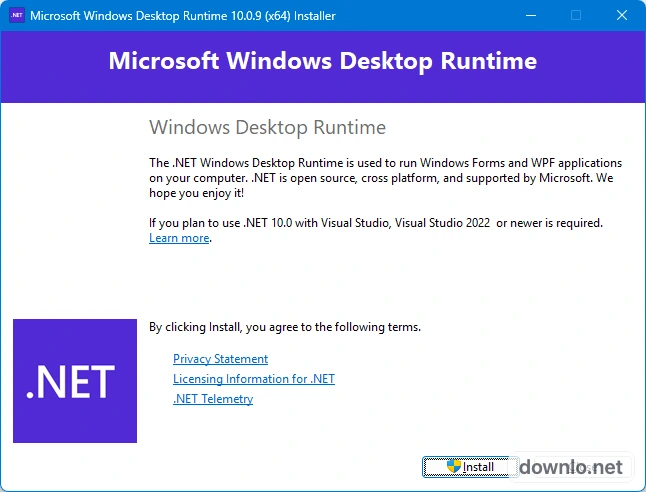
The .NET 10 installer mentions Visual Studio 2022 or newer. That line is for people building .NET programs; it has nothing to do with running one.
Prove it worked
Press Windows + R, type cmd, press Enter, and ask .NET what it has:
dotnet --list-runtimes
A line starting Microsoft.WindowsDesktop.App 10.0 means the desktop runtime is in place. If only Microsoft.NETCore.App is listed, you installed the plain runtime rather than the desktop one, and a program with a window will still refuse to start.
If the command is not recognised, close that window and open a new one.
It installed, and the program still complains
Read the dialog again: it names a version line. Installing 10 does not answer a program that asked for 8 — the lines live side by side and a program is built against one of them.
- The message names 8 or 6: install that line as well. Nothing is lost by having both.
- The message names no version: take the long-term line, which is this one.
- The program is 32-bit: it wants the x86 runtime, even on 64-bit Windows.
Frequently asked questions
How long is .NET 10 supported?
It is a long-term line, supported until 2028-11-14 — a date read from Microsoft’s own release feed rather than typed in here, so it is right on the day you read it.
Can I have .NET 8 and .NET 10 at once?
Yes, and most machines do. They install separately and do not interfere.
Do I need the SDK as well?
No. The SDK is for writing .NET programs. To run one, the runtime is all you need.
Get the .NET Desktop Runtime
10.0.15, 57.3 MB, from Microsoft itself — with the published checksum printed beside it, so you can check that what landed is what they published.
.NET 10.010.0.15 · 57.3 MB